Dual-pane browsing
Local and remote panes side by side, with transfer actions anchored to the file list — not a separate queue window.
Browse local folders and SFTP, FTP, or SSH servers side by side — either pane, any combination — with a real SSH terminal, folder sync, backups, a live system monitor, and an editor built in. Plus 20+ themes if the default green-on-navy isn't your green-on-navy.
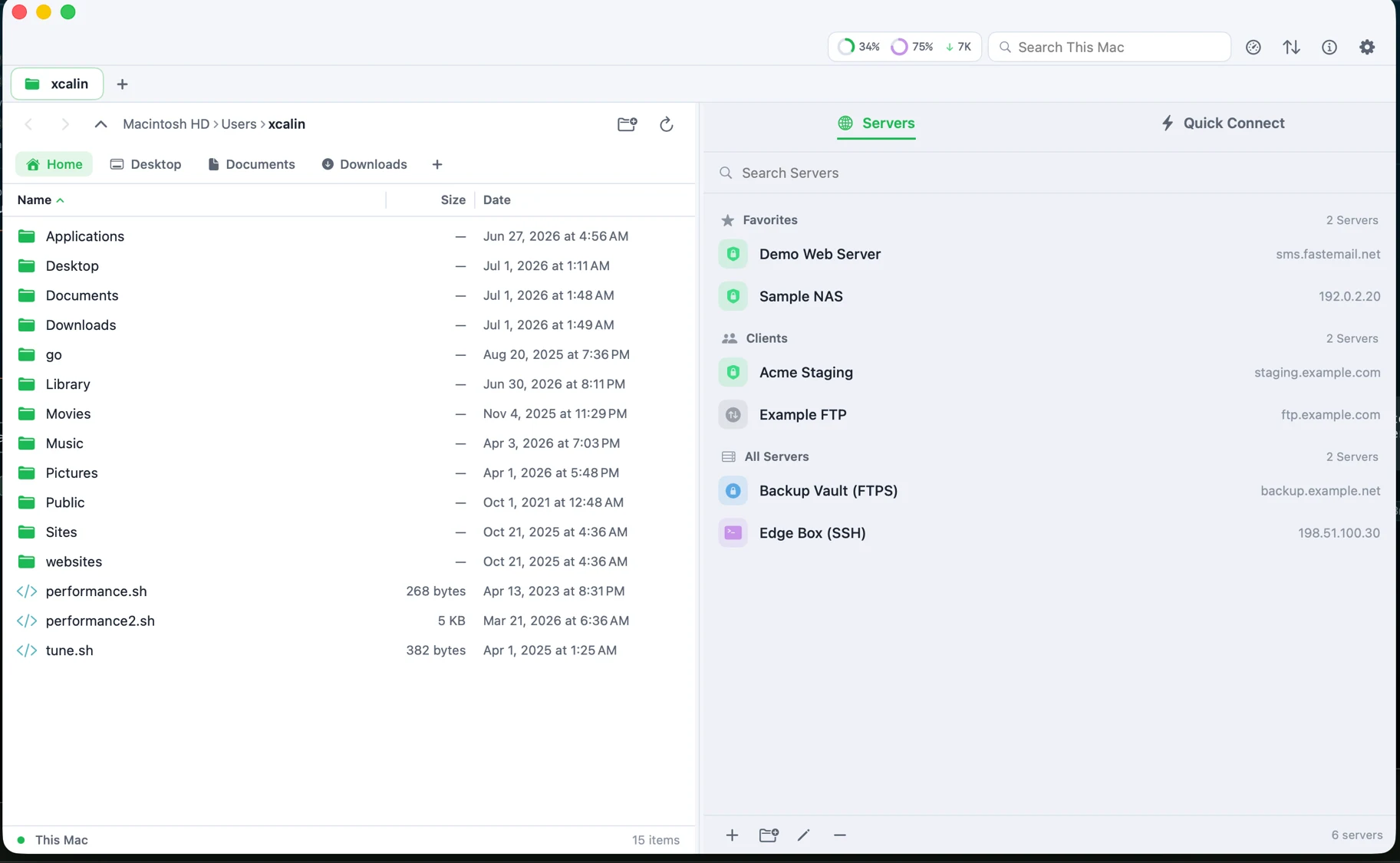
Local browsing, remote servers, backups, and diagnostics live in one focused window. No helper apps, no Terminal tab open on the side.
Local and remote panes side by side, with transfer actions anchored to the file list — not a separate queue window.
Save server profiles once, connect by key or password, and open a full terminal — colors, vim, tab-completion — docked beside your files or in its own window.
Group servers the way your work is organized, then Quick Connect to anything you haven't saved a profile for yet.
Point Harbor at a folder or a server location and it keeps a copy current, on a schedule you set.
Open a file, make a quick edit, or compare two versions without exporting to another app.

CPU, memory, disk, network, battery, processes, and connections — visible right in the toolbar, or in their own window.
Nord, Dracula, Solarized, Tokyo Night, and more — for the app and the terminal, with full ANSI palettes. (Try it — top right.)
Grant access from Settings and Harbor stops prompting. The same screen shows exactly what was granted, anytime.
Keep a local folder and a server folder in step, with conflict handling that never silently discards a side.
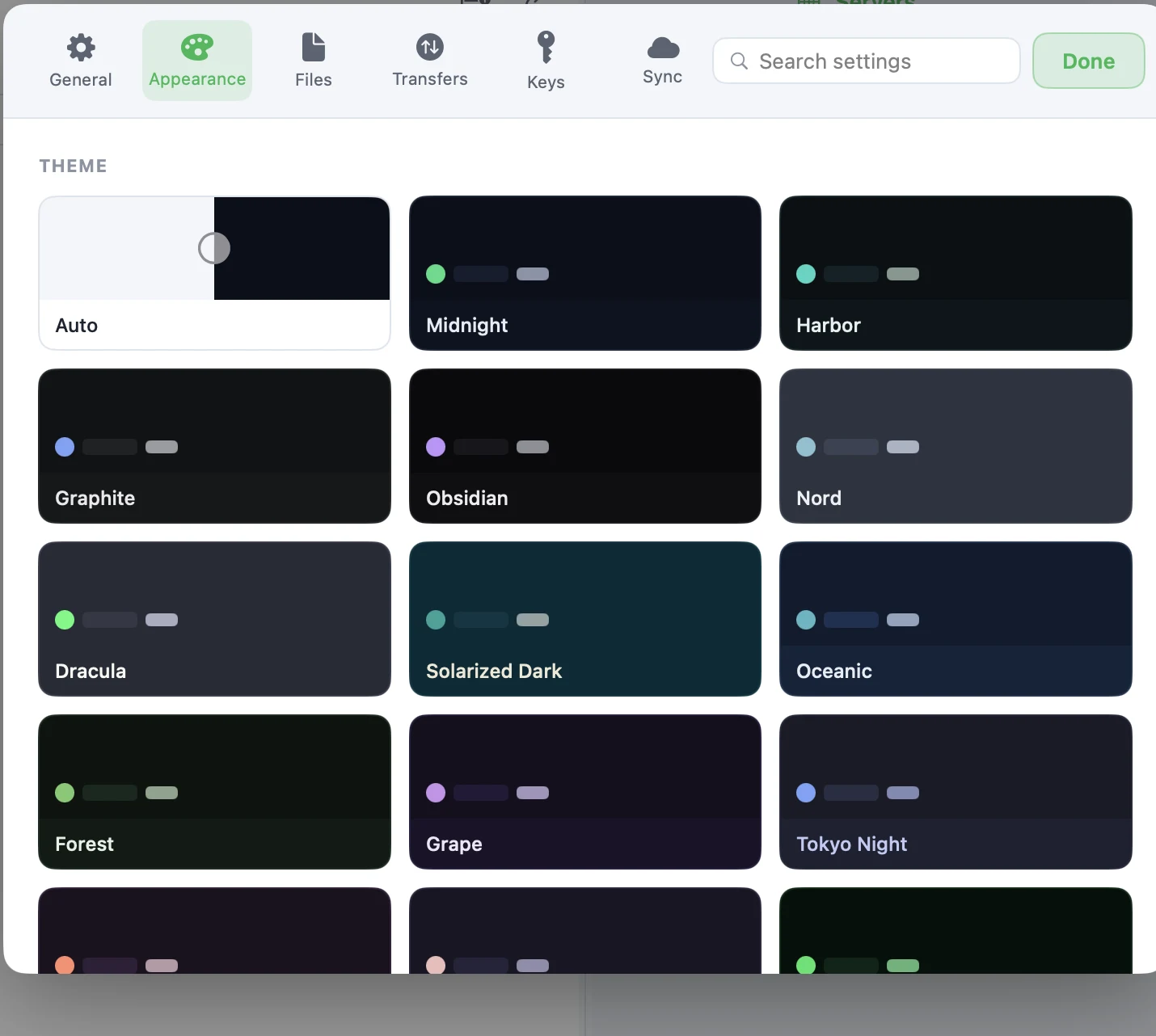
Harbor ships with a dozen-plus built-in themes — calm and light, deep and dark, and everything moody in between. This website is wearing one of them right now.
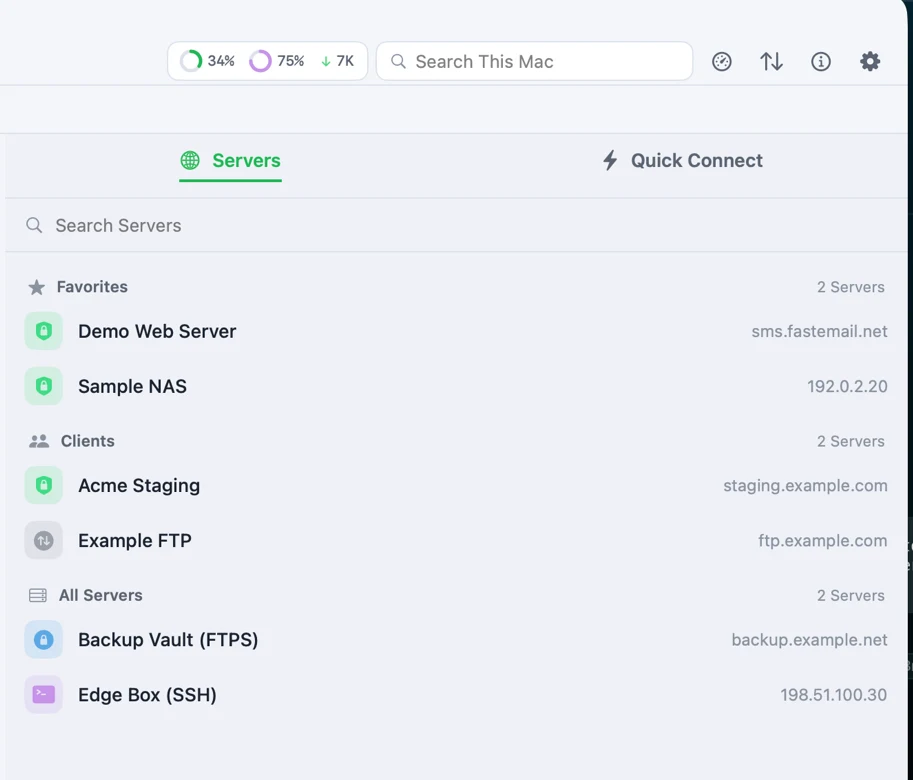
Favorites for the servers you live in, Clients for projects you switch between, and Quick Connect for the one-off SFTP drop nobody saved a profile for.
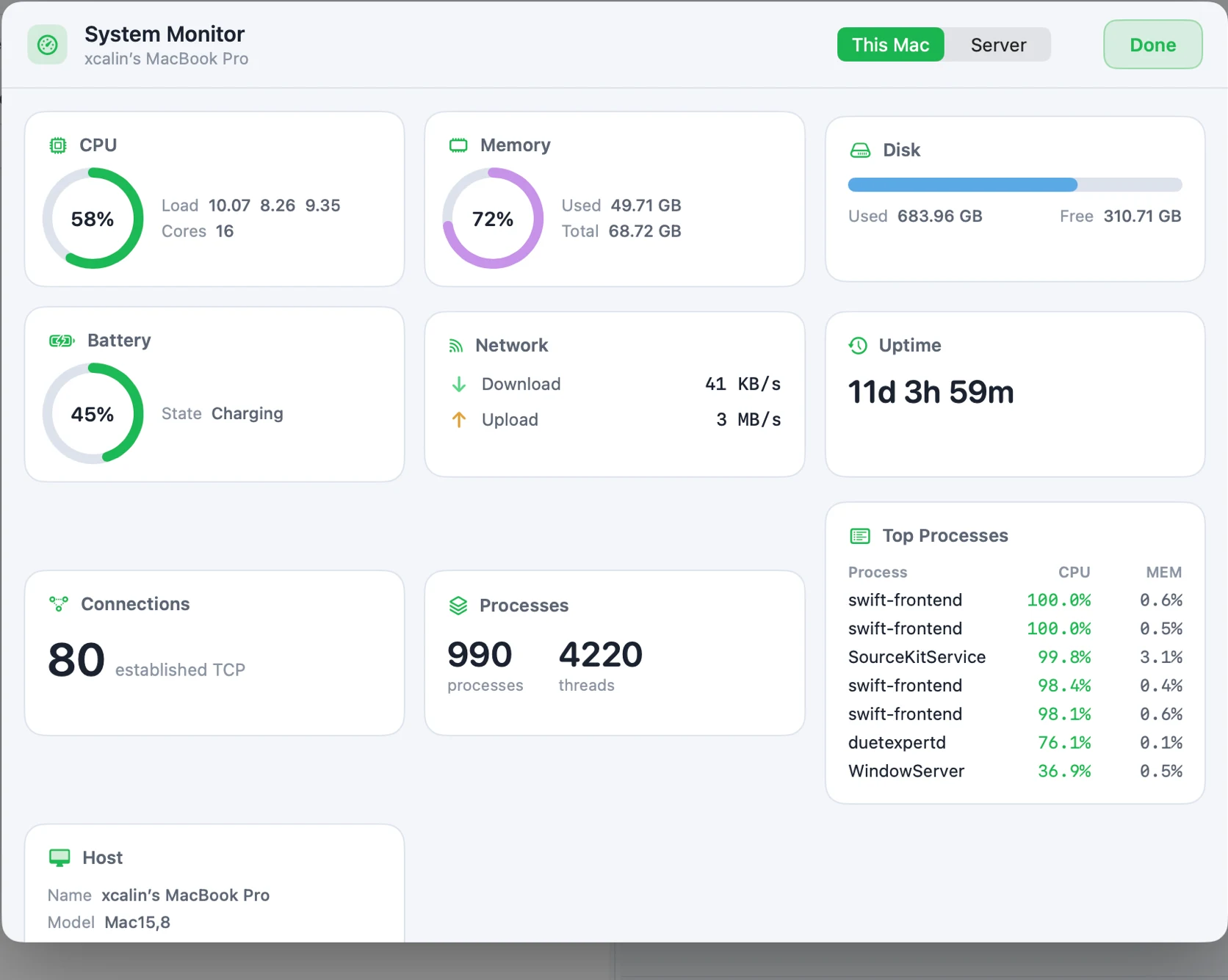
CPU load, memory, disk, battery, and network throughput sit right in the toolbar — or open the full monitor for uptime, connection counts, and a live top-processes list.
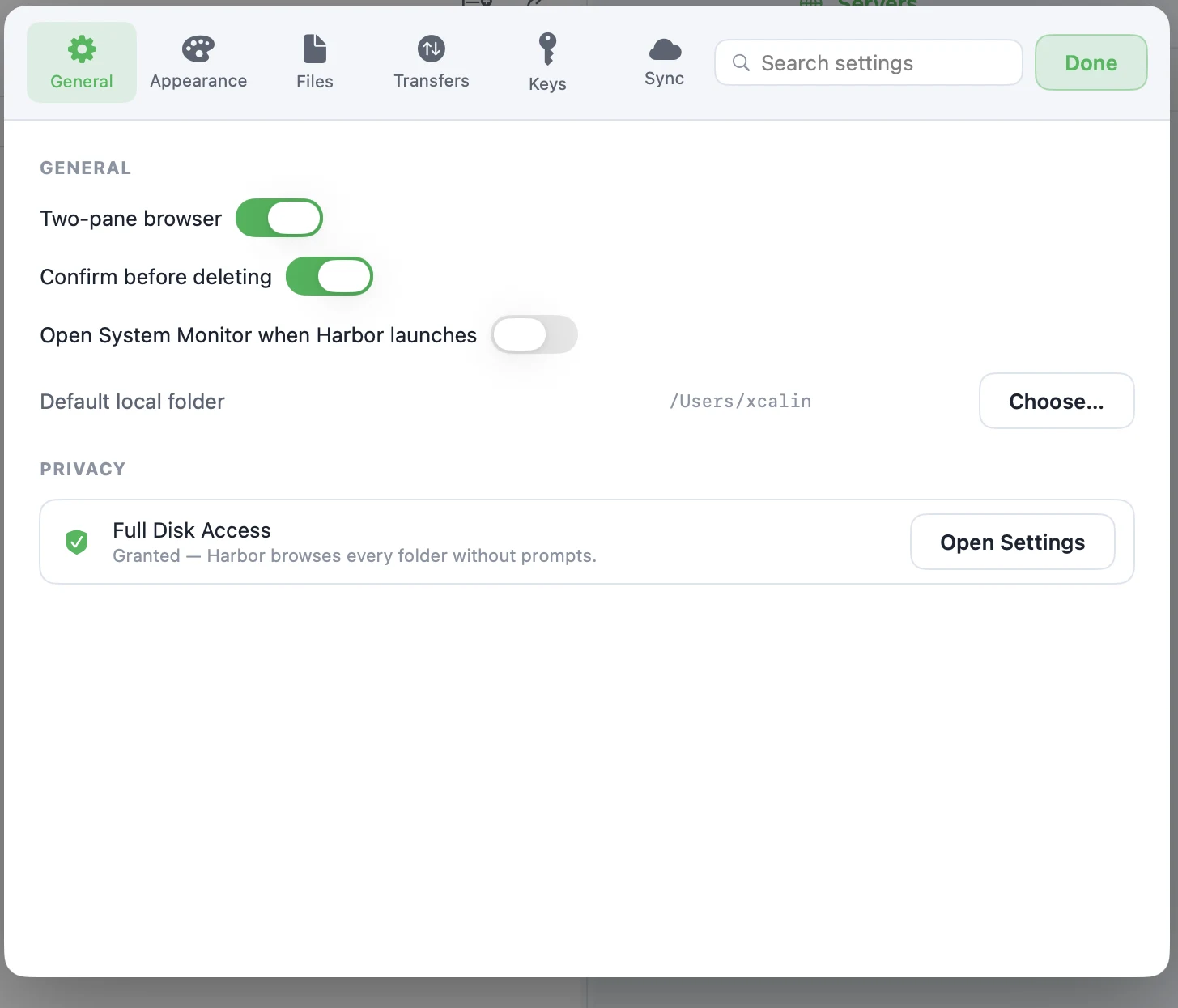
Two-pane browsing, delete confirmations, and your default folder are one toggle away — and Full Disk Access is explained in plain language, not buried in a permissions maze.
macOS 14 Sonoma or later. The update feed at update.php always points to the newest Harbor DMG in this folder.